
You’re getting beta access to Complete Anatomy’s brand-new brain model. Here’s what you can expect to find.
Where to find the Brain Beta
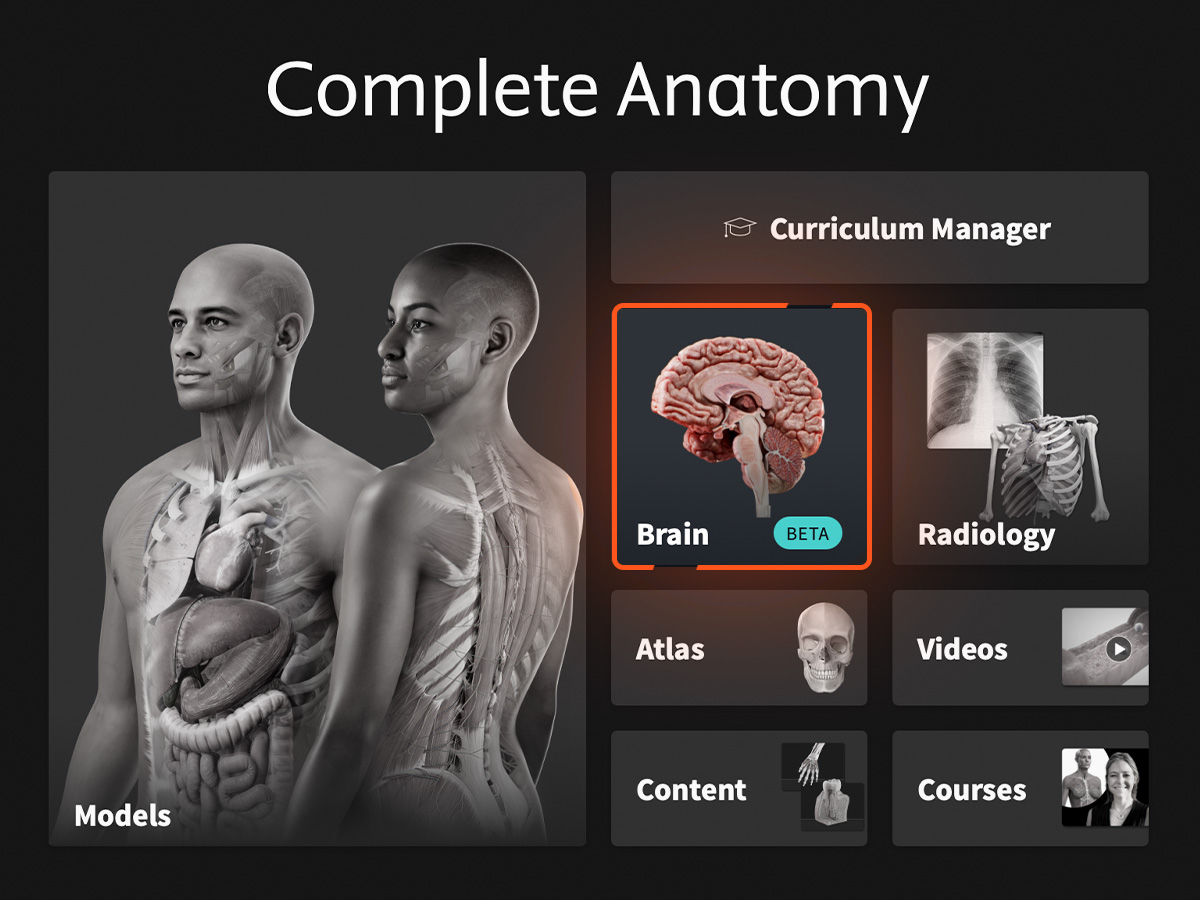
Once you update your app, look for a new button on your Complete Anatomy Hub, it’ll take you straight into Brain Beta. It’s a separate space, focused on our rebuilt 3D brain model. Tap it, and you’re in.
What you can do
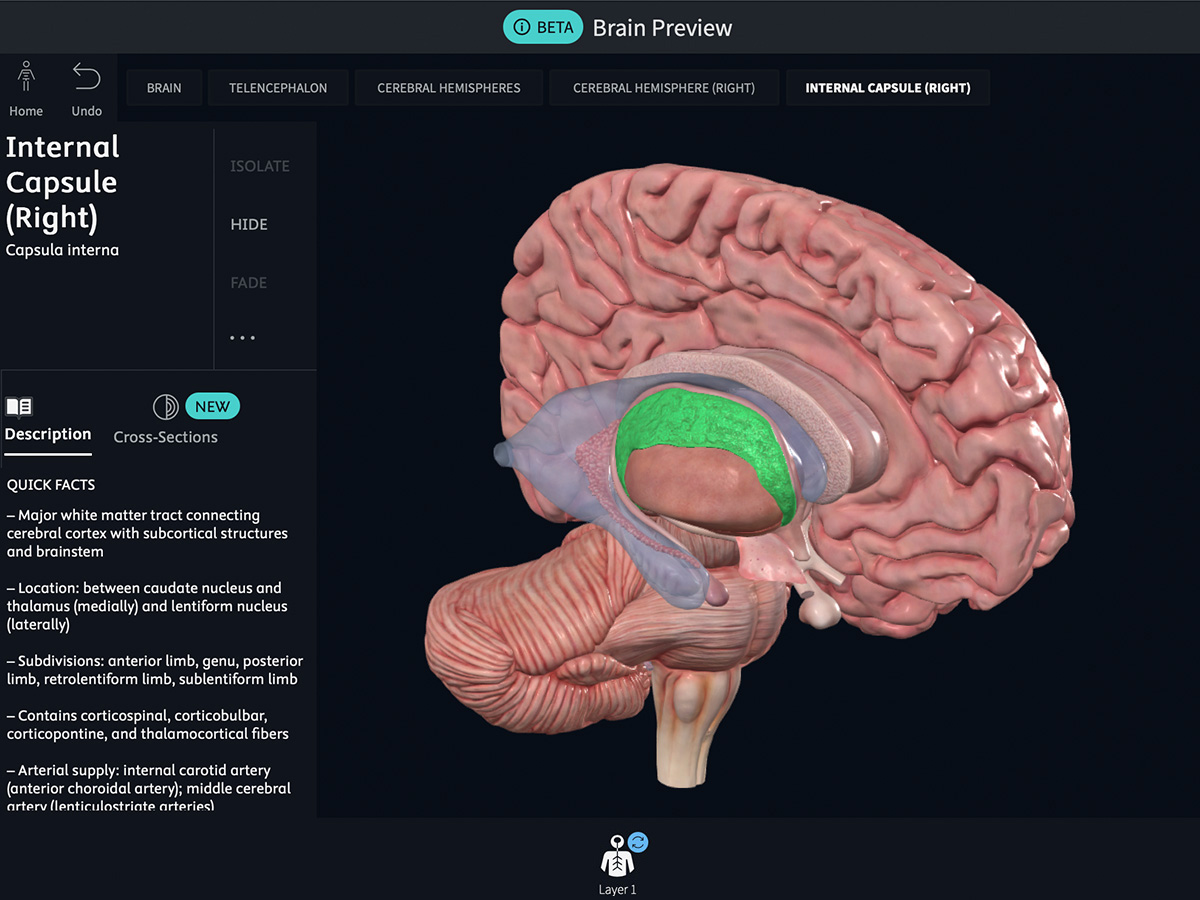
Select any structure, and you’ll see its name, its anatomical location, and a description of what it does. Rotate it, zoom in, and look at it from every angle. Then do something new: explore it in cross-section.
Cross-sections: Two ways to explore
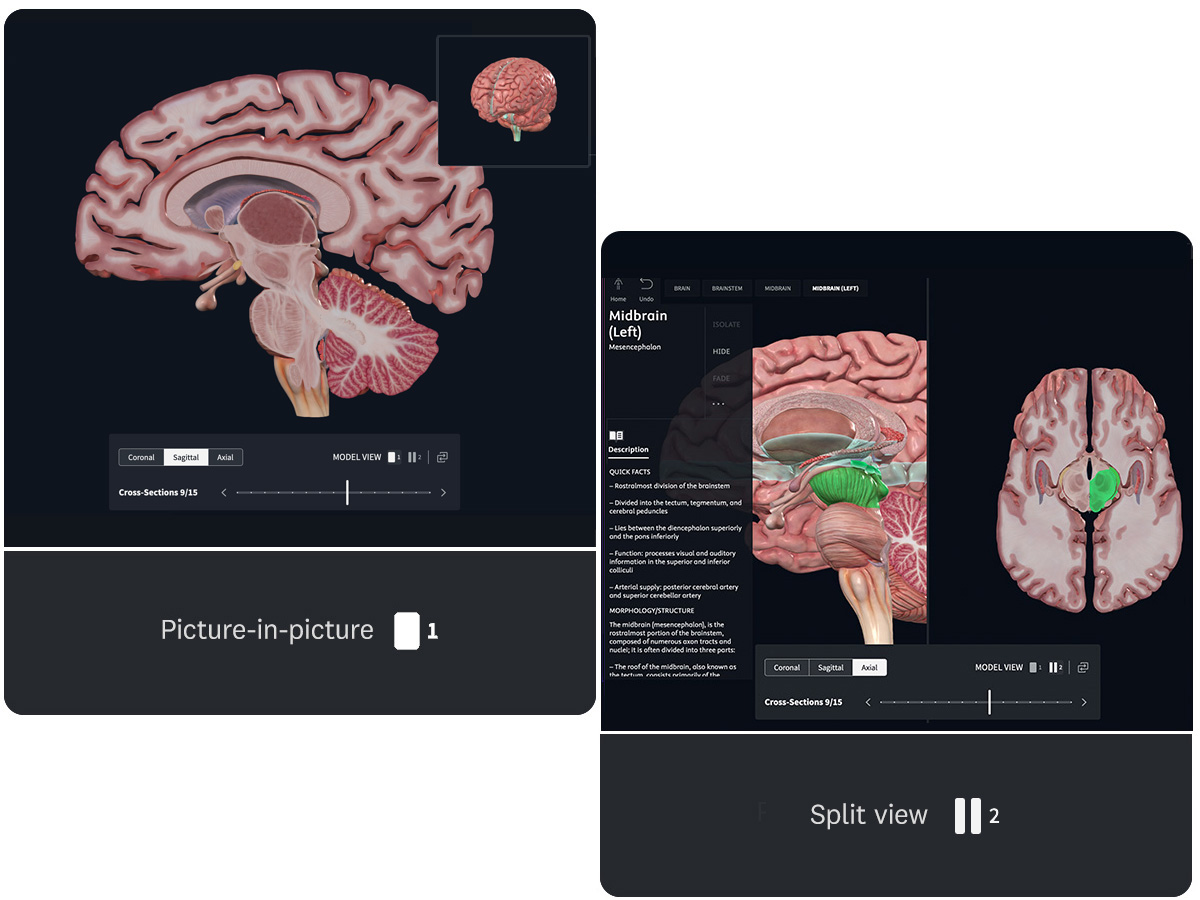
The Brain Beta includes an all-new cross-sections experience. Think of it as slicing through our brain in three different directions at once: axial, coronal, and sagittal. Fifteen slices per plane. Forty-five total views.
You get two ways to explore:
Picture-in-picture is our cross-section first experience. Scroll through our slices, get into the detail, with a miniature view of our 3D model as a reference. Works on every device, including mobile.
Split view provides a 50/50 split, placing our brain 3D model side-by-side with the detailed cross-sections. It’s targeted at studying and building connections between the 2D and 3D representations. Desktop screens only.
Map of the brain gyri
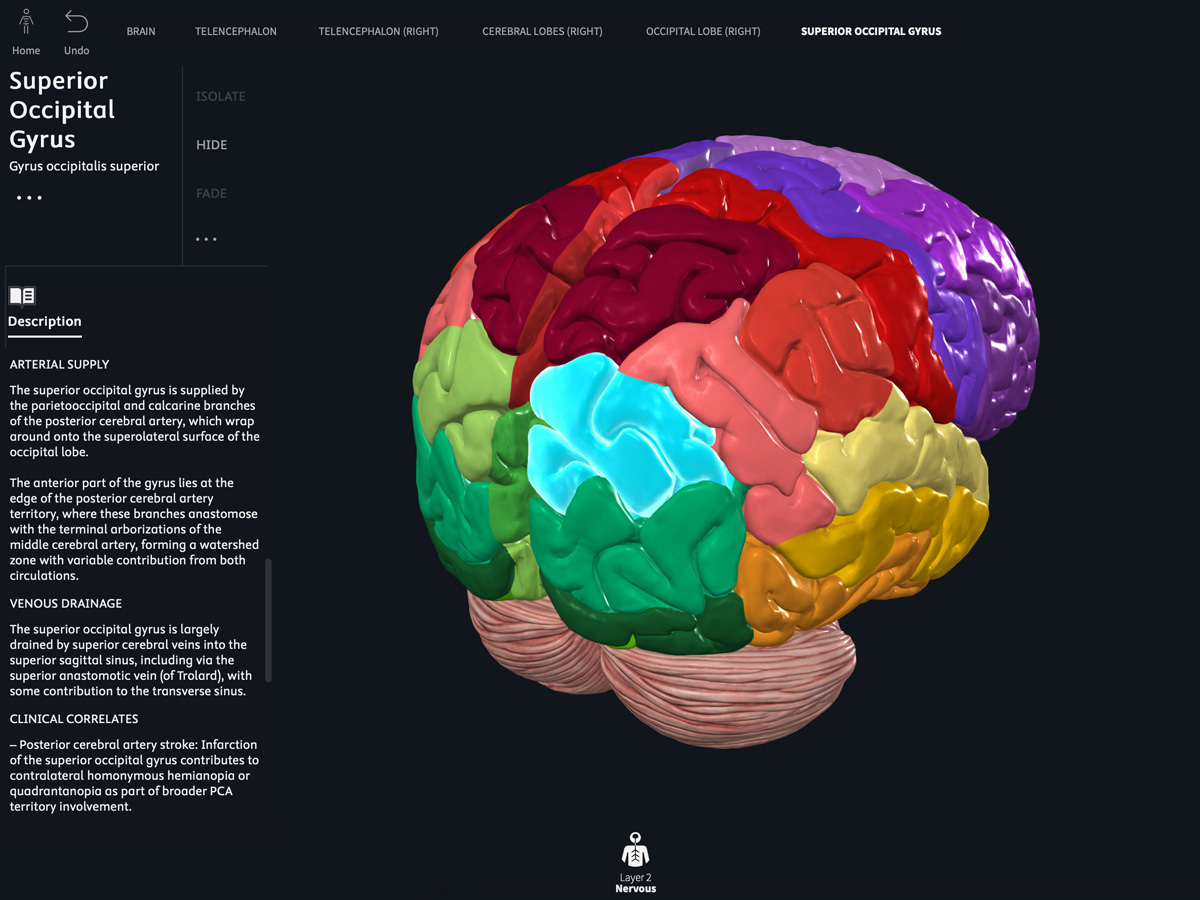
Explore the first of our Brain maps, focused on the cerebral gyri, the folds and ridges covering the surface of our brain. Access through the layers menu, then view and explore like any other structure. Toggle the layer on when you want that level of detail. Toggle it off when you don’t. You control the learning experience.
What is coming next
Whether you’re introducing foundational concepts or exploring advanced neuroanatomy, the new 3D brain rolling out this academic year provides a powerful new way to visualize complex structures and spatial relationships. Additional structures, deeper integrations, expanded language support, and advanced navigation will be released later this academic year as we roll out our updated neuroanatomy experience.
Have feedback? Use the feedback button in Brain Beta to let us know what you think. If something isn’t clear, if something is great or if you have an idea, we would love to hear from you!